What goes wrong in onboarding
- Access requests go out one at a time and the replies arrive over weeks.
- Brand files, tone and banned claims sit in different threads.
- Nobody records what was promised in the sales call.
- The kickoff happens before the team knows the goals.
The result is a slow start and a team that keeps asking the client the same questions.
The eight stages of a clean onboarding
| Stage | What you capture |
|---|---|
| Essentials | Who the client is, what they sell, key dates |
| Audience | Who they want to reach |
| Brand | Brand kit, voice, banned claims |
| Engagement | Goals, targets, budget, scope and fees |
| People | Their contacts and your team, plus who approves |
| Tools | The accounts and tools to connect |
| Plan | What happens in the first weeks |
| Review | Confirm everything before work starts |
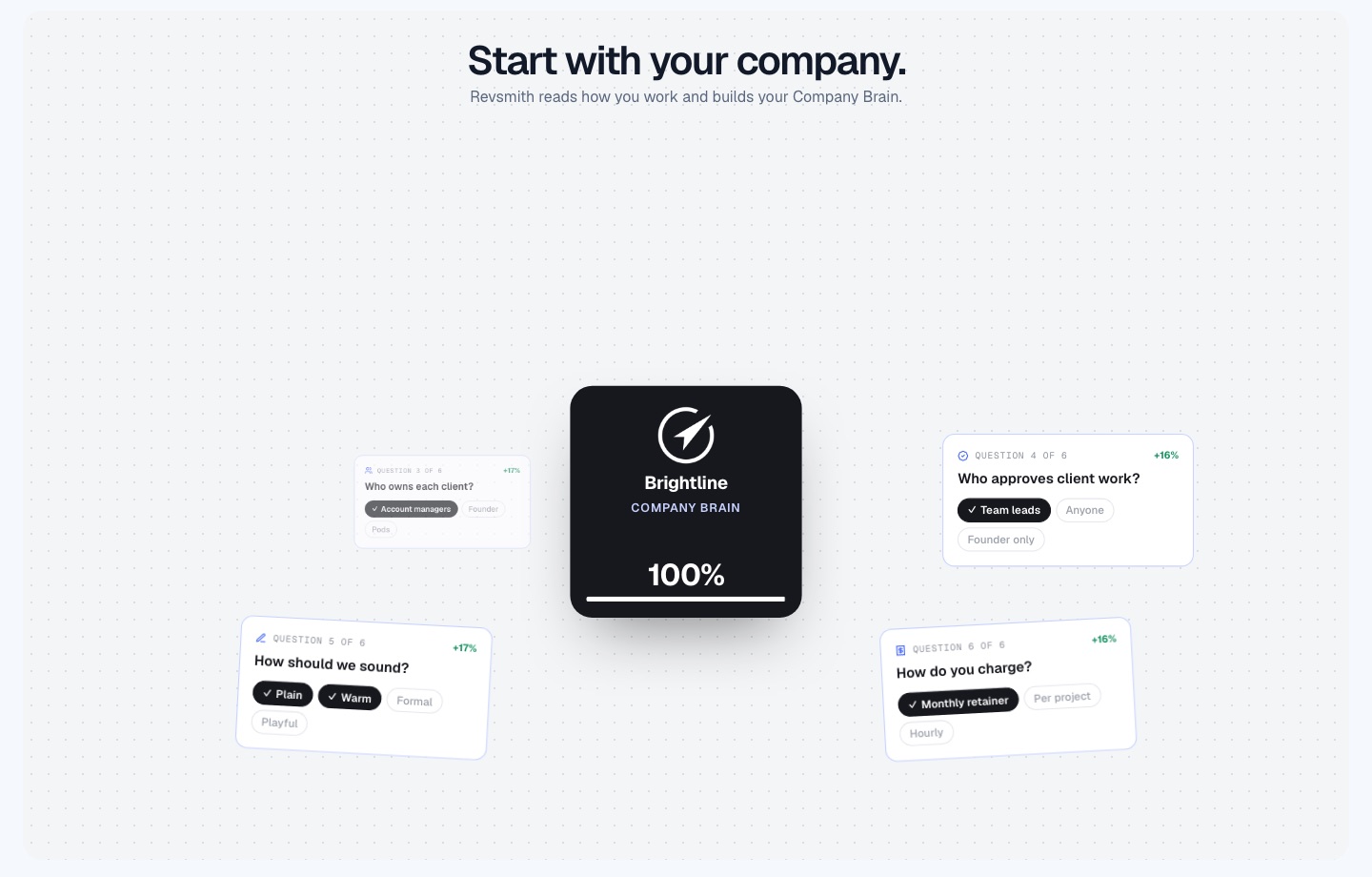
Two paths, the same stages
Build with AI: give RevSmith a website, a brief, a few notes or an empty draft, then review and refine a suggested foundation. Or set up step by step, with examples and templates, at your own pace.
- Each suggestion can be accepted, edited, rejected or deferred.
- Skip optional details, mark a question for later or assign an internal follow-up.
- Save, resume and switch between AI help and manual editing without losing confirmed answers.
- Set up several brands and markets, with company facts visibly inherited.
- Manual setup continues if AI is unavailable.
From a won deal to a booked kickoff
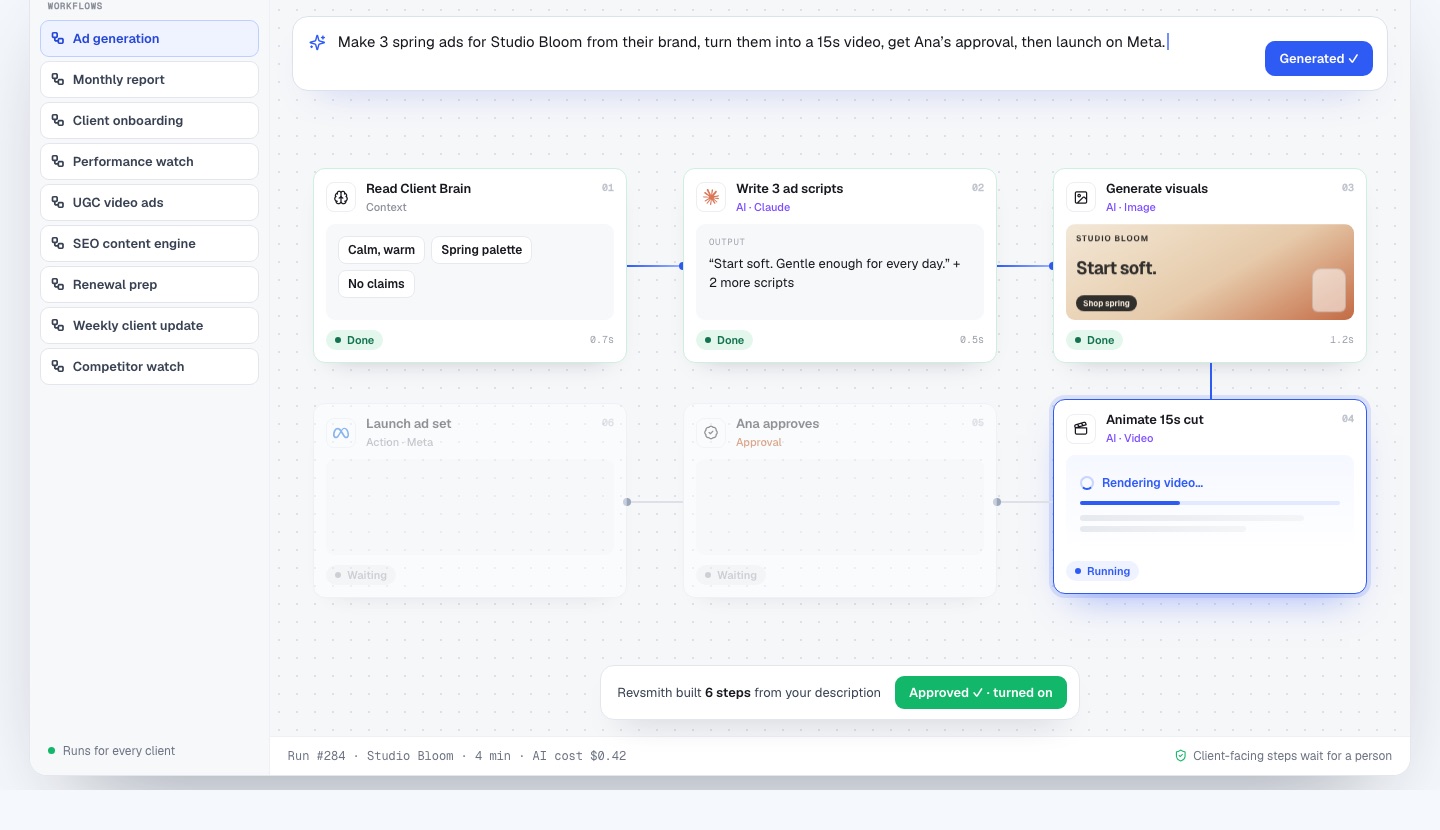
The prompt: “When a deal is won in HubSpot, build the Client Brain, send access links, set up Drive and Slack, and book the kickoff.” The workflow:
- Deal won in HubSpot.
- Build the Client Brain: brand kit, goals, scope and contacts.
- Send access links for Meta, Google Ads and Shopify through each provider’s own authorisation flow.
- Create the Drive folders.
- Open a Slack channel for the client.
- Book the kickoff.
Connecting accounts safely
RevSmith never asks for provider passwords. You connect through each provider’s own authorisation flow and see what can be read, prepared, proposed and executed. Then you confirm the exact ad account, analytics property, project, folder or mailbox for the client, with its brand and market visible. A signed-in provider and a verified client mapping are different things, and both are in place before work happens.
A first-week checklist
- Confirm goals, targets and budget in writing.
- Name the client approver and your internal owner.
- Collect the brand kit and banned claims.
- Connect and map ad and analytics accounts.
- Agree scope: deliverables, revisions, cadence.
- Book the kickoff and send the agenda.
Frequently asked questions
How long should client onboarding take?
The collecting should take days, not weeks, once questions are asked once and in one place. Access approvals depend on the client.
Does the client log into RevSmith?
No. Client contacts stay as records and are never invited into the software.
What if I do not have a brief?
Begin with a website, a few notes, or an empty draft. AI suggests and you confirm.
Can I onboard clients with several brands?
Yes. Set up several brands and markets, with company facts visibly inherited.
How much does RevSmith cost?
We are onboarding agencies now and set terms with each agency during onboarding, so there is no public price list yet. Book a 15-minute demo with the founder and ask.